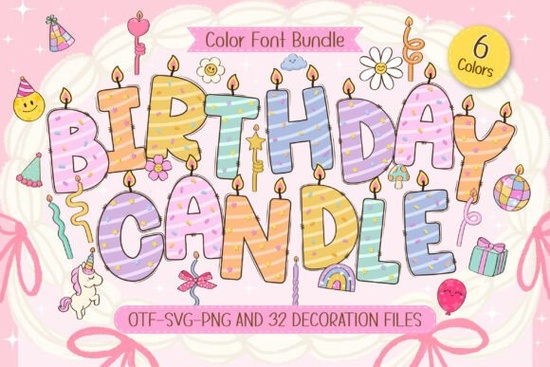
If you’ve ever tried to design a birthday invitation or party graphic and felt like something was missing maybe it lacked that spark of joy you might want to try the Birthday Candle Font. This playful color font turns every letter into a cheerful, hand-illustrated candle complete with stripes, sprinkles, and a tiny flickering flame on top. It’s not just decorative; it instantly adds warmth and celebration to any project, whether you’re making printable cards for your child’s party or designing digital stickers for sale.
Unlike standard fonts that rely only on shape and weight, the Birthday Candle Font uses layered colors and textures to create a three-dimensional look right out of the box. That means you don’t need extra graphics or effects to make your text feel festive it’s built in. And because it’s a color font (also known as an OpenType-SVG font), it works beautifully in compatible design software like Adobe Illustrator, Photoshop (CC 2017+), and Affinity apps.
What kinds of projects work best with this font?
This font shines in any context where fun, whimsy, and celebration are key. Think beyond just “Happy Birthday” banners:
- Printable party kits – Invitations, cupcake toppers, favor tags
- Kids’ activity books – Covers, headers, or title pages
- Social media graphics – Instagram posts, Pinterest pins, or TikTok overlays
- Stickers and planner inserts – Especially for milestone birthdays
- Merchandise designs – T-shirts, mugs, or tote bags with celebratory messages
Because each character is illustrated like a mini decoration, it pairs especially well with other festive elements. Try combining it with confetti vectors, balloon illustrations, or pastel backgrounds for a cohesive look. If you enjoy working with themed fonts, you might also like the New Year’s Bracelet Font, which uses a similar colorful, dimensional approach for holiday designs.
How do I use a color font like this?
First, make sure your design software supports OpenType-SVG fonts. Most modern versions of Adobe Creative Cloud and Affinity Suite do. Once installed, the Birthday Candle Font will appear in your font menu just like any other but when you type, you’ll see the full-color candles instead of flat letters.
A few quick tips:
- Use it for headlines or short phrases its detailed style can become overwhelming in long paragraphs.
- Keep backgrounds simple. A soft white, light pastel, or subtle gradient lets the candles pop without visual clutter.
- Avoid heavy outlines or drop shadows they can clash with the font’s built-in dimensionality.
If you're creating print-on-demand products, always check your platform’s guidelines. Some marketplaces compress files or convert color fonts to outlines, which may affect how the flames and sprinkles appear. When in doubt, export as a high-res PNG with transparency.
Who is this font really for?
While anyone can enjoy using the Birthday Candle Font, it’s especially useful for:
- Small business owners selling birthday-themed printables or gifts
- Teachers and parents creating custom party materials at home
- Digital crafters building sticker sheets or planner kits
- Graphic designers looking for quick, joyful typography for client projects
It’s beginner-friendly but still offers enough charm and detail to satisfy experienced creators. Plus, since it’s available through Creative Fabrica’s subscription model, you can access it alongside thousands of other fonts, graphics, and templates making it easy to build full party themes without hunting across multiple sites.
For more details or to preview how it looks in action, you can explore the Birthday Candle Font directly on Creative Fabrica.
Before you start designing…
Here’s a quick checklist to get the most out of this font:
- Confirm software compatibility – Use Adobe CC 2017+, Affinity, or another SVG-font-friendly program.
- Pair thoughtfully – Combine with clean sans-serifs for contrast (e.g., use Birthday Candle for “Happy Birthday” and a simple font for the date/time).
- Test print or mockup first – Ensure colors and details translate well to your final format.
- Check licensing – Creative Fabrica’s standard license covers personal and commercial use, including POD, but always review current terms.
With its joyful details and ready-to-celebrate aesthetic, the Birthday Candle Font isn’t just a typeface it’s a shortcut to spreading smiles through design.
Learn More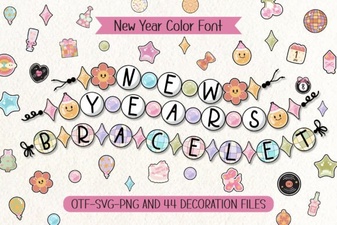 Designing Your New Year’s Bracelet Font Ideas
 Learn Cursive with Tracing Fonts
 Magical Teacher Fonts for Creative Projects
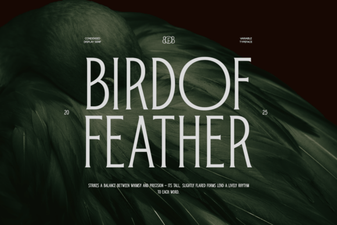 Bird of Feather: a Creative Font Design Project
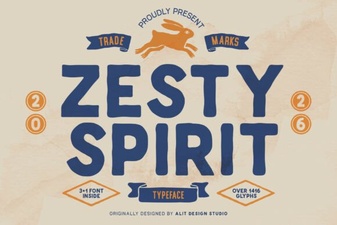 Zesty Spirit Font for Creative Design Projects
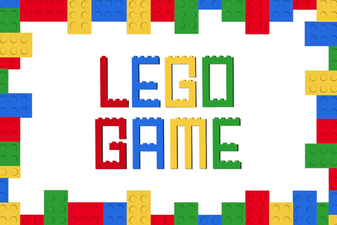 Designing with the Classic Lego Game Font